Partial(?) Dendritic Pattern for My NixOS Config
See my Nix Config repository for more details.
I migrated to NixOS (and nix-darwin) about 6 months ago, and it quickly became the operating system for me. Even before discovering Nix, I meticulously organized my Dotfiles and did regular system cleanups, operating on the philosophy: “if it’s not in my dotfiles repo, it doesn’t exist on my system.”
Looking back, I wonder why it took me so long to adopt NixOS. It achieves exactly what I want, which is a system entirely defined by configuration files I control.
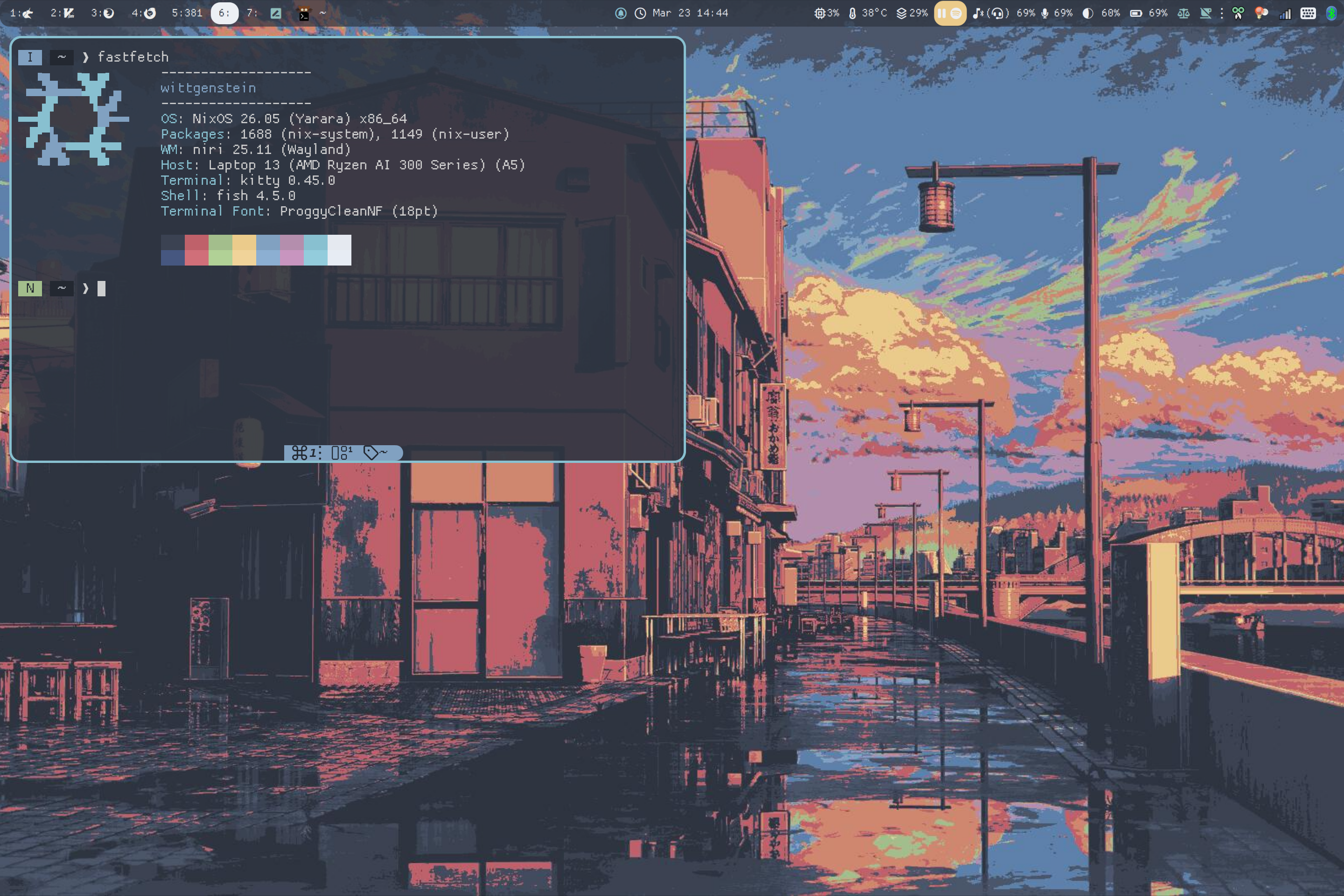
While I spent a considerable amount of time learning the ropes of Nix and NixOS, I’ll save the dive into why I love it (as well as its flaws, including why I might eventually drop nix-darwin or home-manager) for another time.
Instead, this post is dedicated to showcasing the new organization scheme I “developed” for my Nix configuration.
My Previous Pattern
When I first migrated to NixOS and nix-darwin, I used a very simple flake organization scheme:
$ tree
.
├── flake.nix
├── home-manager
│   ├── config
│   │   ├── bat.nix
│   │   ├── btop.nix
│   │   ├── ...
│   │   └── a-bunch-of-other-config.nix
│   ├── home.nix            # main import + fallthrough config for home-manager
│   ├── linux.nix           # Linux specific config import
│   └── nixvim
│       ├── ...
│       └── plugins
│           └── ...
└── hosts
    ├── beauvoir                        # Mac Mini
    │   ├── configuration.nix
    │   ├── ...
    │   └── extra-nix-darwin-config.nix
    └── wittgenstein                    # Framework 13
        ├── configuration.nix
        ├── hardware-configuration.nix
        ├── ...
        └── extra-nixos-config.nix
In this setup, my flake.nix declared outputs like so:
 1nixosConfigurations.wittgenstein = nixpkgs.lib.nixosSystem {
 2  system = "x86_64-linux";
 3
 4  modules = [
 5    nixos-hardware.nixosModules.framework-amd-ai-300-series
 6
 7    ./hosts/wittgenstein/configuration.nix
 8
 9    home-manager.nixosModules.home-manager
10    (mkHomeManager "theopn")
11    {
12      home-manager.users.theopn = {
13        imports =[
14          nixvim.homeModules.nixvim
15          ./home-manager/home.nix
16          ./home-manager/linux.nix
17        ];
18      };
19    }
20  ];
21
22};
This is a very classic scheme where files are strictly organized by scope (NixOS, home-manager, nix-darwin). The biggest benefit of this approach is that it is incredibly easy to understand, especially when adding a new feature.
Let’s say I want to add a Tailscale configuration, which needs to live at the NixOS system level.
I would just create a new file at /hosts/wittgenstein/tailscale.nix and add it to the imports in configuration.nix (or modify configuration.nix directly).
/hots/wittgenstein/tailscale.nix:
 1{ config, pkgs, ... }:
 2{
 3  services.tailscale.enable = true;
 4  networking.nftables.enable = true;
 5  networking.firewall = {
 6    enable = true;
 7    trustedInterfaces = [ "tailscale0" ];
 8    allowedUDPPorts = [ config.services.tailscale.port ];
 9  };
10  systemd.services.tailscaled.serviceConfig.Environment = [
11    "TS_DEBUG_FIREWALL_MODE=nftables"
12  ];
13}/hosts/wittgenstein/configuration.nix:
 1{ config, lib, pkgs, ... }:
 2{
 3  imports = [
 4      ./hardware-configuration.nix
 5
 6       ##### NEW IMPORT STATEMENT #####
 7      ./tailscale.nix
 8       ##### NEW IMPORT STATEMENT #####
 9    ];
10
11  # Boot settings
12  boot.loader.systemd-boot.enable = true;
13  boot.loader.efi.canTouchEfiVariables = true;
14  boot.kernelPackages = pkgs.linuxPackages_latest;
15
16  # rest of configuration.nix
17}
The exact same idea applies to home-manager; I would make a new file and import it into the main home.nix.
/home-manager/config/ripgrep.nix:
1{ ... }:
2{
3  programs.ripgrep = {
4    enable = true;
5    arguments = [ "--hidden" "--glob=!.git/" ];
6  };
7}/home-manager/home.nix:
 1{ pkgs, lib, config, ... }:
 2
 3{
 4  imports = [
 5    ./config/bat.nix
 6    ./config/btop.nix
 7    #...
 8
 9    ##### NEW IMPORT STATEMENT #####
10    ./config/ripgrep.nix
11    ##### NEW IMPORT STATEMENT #####
12  ];
13
14  home.sessionVariables = {
15    XDG_SCREENSHOTS_DIR = "${config.home.homeDirectory}/Pictures";
16    XDG_PICTURES_DIR = "${config.home.homeDirectory}/Pictures";
17  };
18
19  # rest of home.nix
20}
Frankly, I like this pattern. I recommend it to anyone who wants to avoid unnecessary complications in their config. However, it suffers from one fatal flaw: scattered configuration.
Problem with the Previous Pattern
Let’s say I’m configuring Swaylock.
I can just make swaylock.nix with the following config and add it to home.nix, right?
/home-manager/config/swaylock.nix
 1{ config, ... }:
 2{
 3  programs.swaylock = {
 4    enable = true;
 5    settings = {
 6      daemonize = true;
 7      # allows fingerprint sensor -> RET to unlock
 8      ignore-empty-password = false;
 9      show-failed-attempts = true;
10      show-keyboard-layout = true;
11
12      image = "${config.home.homeDirectory}/.local/share/theoshell/sway/lockscreen.png";
13    };
14  };
15}
Nope! You also need to register Swaylock with PAM, which has to happen at the NixOS system level. (Swaylock also has annoying behavior when used with fprintd, so a manual override in the PAM configuration is required).
/hosts/wittgenstein/swaylock.nix
 1{ ... }:
 2{
 3  # register swaylock to /etc/pam.d/
 4  security.pam.services.swaylock = {
 5    # https://www.reddit.com/r/NixOS/comments/16oiazf/swaylock_fprintd_fingerprint_reader_issues/
 6    text = ''
 7      # Try password first
 8      auth sufficient pam_unix.so try_first_pass likeauth nullok nodelay
 9      # Then fprintd
10      auth sufficient pam_fprintd.so
11      # Fallback
12      auth include login
13    '';
14  };
15}
Now, the configuration for a single tool is scattered across multiple directories. This creates a readability and organization problem, especially as you scale up to multiple machines. You might think importing the home-manager module is enough to get a working setup on a new laptop, only to have it break because you forgot the 5-line system-level PAM config buried in another directory.
Partial(?) Dendritic Pattern
The Dendritic pattern by mightyiam has become quite popular within the Nix community - and for good reasons. While there are a few ways to achieve this architecture, most users use flake-parts to split configurations into modules and pair it with import-tree to automatically scan and merge them.
This approach offers a lot of benefits, but what I appreciate most is that it allows you to organize Nix files by feature rather than by scope.
It perfectly solves the scattered config problem: you can have a single modules/swaylock.nix file that contains everything related to Swaylock.
However, fully adopting the Dendritic pattern comes with its own set of drawbacks, which I will discuss later.
So I found a middle ground.
I keep my core system configurations in the /hosts directory, and they are configured exactly how you would set up a standard NixOS/nix-darwin system.
But for all my custom configurations like apps, CLI tools, and window managers, I adopted a “partial” Dendritic pattern using flake-parts and import-tree.
Here is a simplified overview of the resulting tree:
$ tree
.
├── flake.nix
├── hosts
│   └── beauvoir
│       └── configuration.nix
│   └── wittgenstein
│       ├── configuration.nix
│       └── hardware-configuration.nix
└── modules
    ├── apps
    │   └── modules...
    ├── cli
    │   └── modules...
    ├── mac
    │   └── modules...
    └── wm
        └── more-modules...
Adding a New Module
Let’s go back to the Swaylock example. With the Dendritic pattern, I can define both the system-level and user-level configurations in a single file:
modules/wm/swaylock.nix
 1{
 2  flake.modules.nixos.swaylock = {
 3    # register swaylock with PAM
 4    # https://www.reddit.com/r/NixOS/comments/16oiazf/swaylock_fprintd_fingerprint_reader_issues/
 5    security.pam.services.swaylock = {
 6      text = ''
 7        # Try password first
 8        auth sufficient pam_unix.so try_first_pass likeauth nullok nodelay
 9        # Then fprintd
10        auth sufficient pam_fprintd.so
11        # Fallback
12        auth include login
13      '';
14    };
15  };
16
17  flake.modules.homeManager.swaylock = { config, ... }: {
18    programs.swaylock = {
19      enable = true;
20      settings = {
21        daemonize = true;
22        # allows fingerprint sensor -> RET to unlock
23        ignore-empty-password = false;
24        show-failed-attempts = true;
25        show-keyboard-layout = true;
26
27        image = "${config.home.homeDirectory}/.local/share/theoshell/sway/lockscreen.png";
28      };
29    };
30  };
31}
[!NOTE] Thanks to import-tree, you can name and nest subdirectories inside
modules/however you please.
If you prefer, instead of creating a dedicated swaylock module, you could group it under a broader name (e.g., flake.modules.homeManager.wm-tools, bundling it alongside tools like Swayidle and Swaybg).
I typically avoid this, though, because it sacrifices granularity.
If I for some reason decide to swap Swaylock for Hyprlock on just one machine, having them bundled together makes that much harder.
Adding a New Module & a New System (Flake Output)
Once you’ve declared a module, adding it to a system is self-explanatory.
Here is a look at the Flake output portion of my flake.nix:
 1  nixosConfigurations.wittgenstein = nixpkgs.lib.nixosSystem {
 2    system = "x86_64-linux";
 3    specialArgs = { inherit inputs; };
 4    modules = [
 5      nixos-hardware.nixosModules.framework-amd-ai-300-series
 6
 7      ./hosts/wittgenstein/configuration.nix
 8      {
 9        imports = with self.modules.nixos; [
10          ##### added system level PAM settings for swaylock #####
11          linux-base niri polkit swaylock
12        ];
13      }
14
15      home-manager.nixosModules.home-manager
16      # Calling a custom home-manager declaration function.
17      # Please see my repository for the full `flake.nix`.
18      (mkHomeManager {
19        saymyname = "theopn"; # you're goddamn right
20
21        theosHomeManagerModules = with self.modules.homeManager; [
22          base linux-theme
23          ##### added home-manager config module for Swaylock #####
24          swaylock
25        ];
26      })
27
28    ];
29  };
30};
One caveat is that because nixos.swaylock and homeManager.swaylock belong to two entirely different module systems (even though they are in the same file), I still have to import them in both places.
It is still miles better than having the actual configurations scattered across multiple files, but it is an inefficiency I want to fix eventually.
Looking at this, you can also see how easy it is to add a completely new system.
You just copy and paste a default configuration.nix into a new directory under /hosts, create a new flake output, and add the modules you need for that specific machine.
Why Not Full Dendritic Pattern?
The strict Dendritic pattern turns everything, including core system configurations, into Flake modules of equal importance.
Everything lives in the modules/ directory, and your host-specific hardware configuration is no exception.
However, at least to mere casual Nix user like myself, this isn’t very intuitive.
Intuitively, enabling a bootloader and installing a kernel package are fundamentally different, and much more system-specific, than configuring a terminal emulator. I believe core system foundations deserve their own directory and a simpler Nix pattern, one that can still be easily understood (and theoretically function) even if abstractions like import-tree or flake-parts break.
Another problem I have with the full Dendritic pattern is that it can be hard to identify the actual entry points.
In my configuration, every file in the modules/ directory is simply a module, and the only entry point is flake.nix.
To summarize the benefits of my partial pattern:
- Easy System Maintenance: Anything in the
/hostsdirectory can be easilydiffed against the auto-generatedconfiguration.nixandhardware-configuration.nix, making system-level debugging much easier. - Clearer File Roles: Every file in the
/modulesdirectory (unless prefixed by_) declares module(s). There is no need to guess what a file does or where the entry point is. - Centralized Overview: All modules are imported directly in
flake.nix, so you get a clear overview of exactly what features a system contains just by looking at one file. - Feature Isolation: It preserves the “one file per feature” philosophy of the Dendritic pattern, keeping the
/modulesdirectory organized.