I spent $30 on a monospaced Comic Sans
I have been a subscriber of Wolfgang’s Channel since he was a real alpha male using ThinkPad T440p with Gentoo, long before he became a soyboy latte sipping gender studies college kid with his filthy Apple Silicon MacBook.
YouTube recently recommended his old video: Why I Use a Paid Terminal Font. Wait a minute, it gets even worse. Comic Code is not only a paid terminal font, but as the name suggests, it tries to be a MONOSPACED COMIC SANS!
Hear me out. As terrible as it sounds, I would rather have a chuckle than a sigh when I look at my computer. Also, even though other free projects like Comic Shanns and Comic Mono exist, they are incomplete. Toshi Omagari, the designer of Comic Code, is an amazing typeface designer, and he completely redrew the font and ligatures. (Comic Code “only takes inspiration from Comic Sans and was drawn entirely from scratch and legally distinct.”)
I remembered the urge to buy the font when I first watched the video 3 4 years ago, but I was a responsible college freshman who did not want to waste my parents’ hard-earned money on a $30 font.
Instead, I used Fantasque Sans for a while, which is another Comic Sans-esque, fun, monospaced font, but the itch never went away.
I also noticed that Wolfgang is still using the font to this day (7:24 in his latest video).
4 years later, I am much more numb to irresponsible purchases, and I have decided that my terminal deserves some fun.
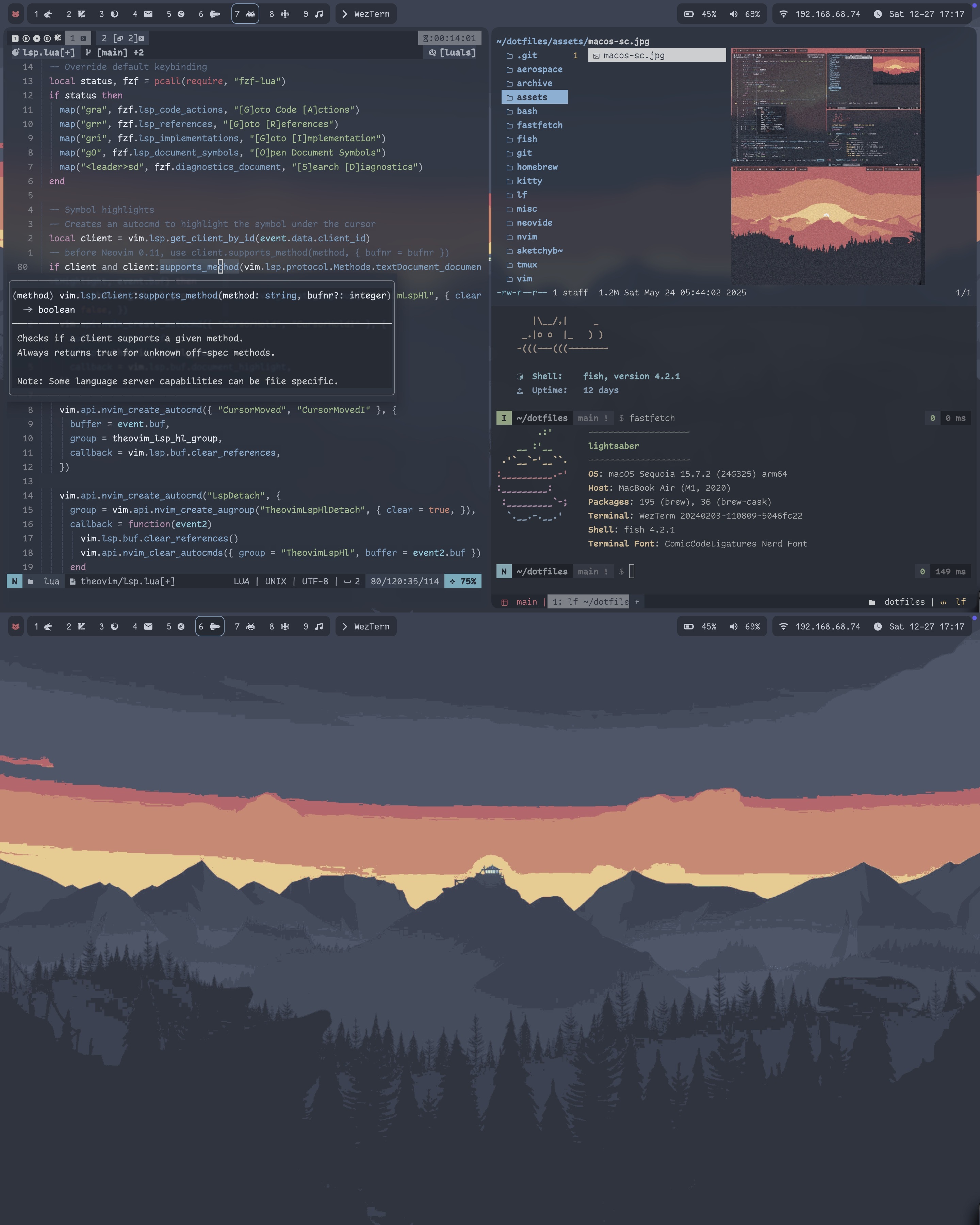
Screenshot taken from my MacBook Air sitting at a local cafe sipping matcha
The $30 “Coding Essentials” set was more than enough, and I love how fun and silly it looks. Can’t wait to show other people when I get back to school.
How I patched the font
- Download the Nerd Font Patcher
- Install
fontforgeandargparse(both available in Homebrew) - Locate the original fonts in the directory inside the
FontPatcherdirectoryFontPatcher ├── bin │ └── ... ├── comic-code-og │ ├── ComicCode-Bold.otf │ ├── ComicCode-BoldItalic.otf │ ├── ComicCode-Italic.otf │ ├── ComicCode-Medium.otf │ ├── ComicCode-MediumItalic.otf │ ├── ComicCode-Regular.otf │ ├── ComicCodeLigatures-Bold.otf │ ├── ComicCodeLigatures-BoldItalic.otf │ ├── ComicCodeLigatures-Italic.otf │ ├── ComicCodeLigatures-Medium.otf │ ├── ComicCodeLigatures-MediumItalic.otf │ └── ComicCodeLigatures-Regular.otf ├── font-patcher ├── glyphnames.json ├── readme.md └── src └── ... - Run the following command in the
FontPatcherdirectory (change the glob if you want to patch the entire set or only the non-ligature versions)This will generate1for f in ./comic-code-og/ComicCodeLigatures-*; do fontforge -script font-patcher $f; doneComicCodeLigaturesNerdFont-Bold.otf ComicCodeLigaturesNerdFont-BoldItalic.otf ComicCodeLigaturesNerdFont-Italic.otf ComicCodeLigaturesNerdFont-Medium.otf ComicCodeLigaturesNerdFont-MediumItalic.otf ComicCodeLigaturesNerdFont-Regular.otf - If glyphs look off, experiment with the following flags before
1# --single-width-glyphs: "Mono" (glyphs are strictly the same size) 2# --variable-width-glyphs: "Propo" (glyphs are proportionally spaced and take up as much space as you want) 3# default is double width - Install the
otffiles usingfc-cachein Linux or just double-clicking in macOS